> ## Documentation Index
> Fetch the complete documentation index at: https://docs.guild.ai/llms.txt
> Use this file to discover all available pages before exploring further.
# Slack
> Connect Guild agents to your Slack workspace to respond to messages, post updates, and run automated tasks.
You can connect Guild to your Slack workspace. The Slack integration gives your agents authenticated access to the Slack Web API. This allows your agents to monitor channels, respond to user messages, and post automated updates.
Slack is a dynamically resolved integration. Its operations are resolved from Slack's OpenAPI specification at runtime, so agents do not import a Slack-specific package. Register the operations you need with `guildServiceTool("slack", ...)` from the Guild Agents SDK.
## Feature overview
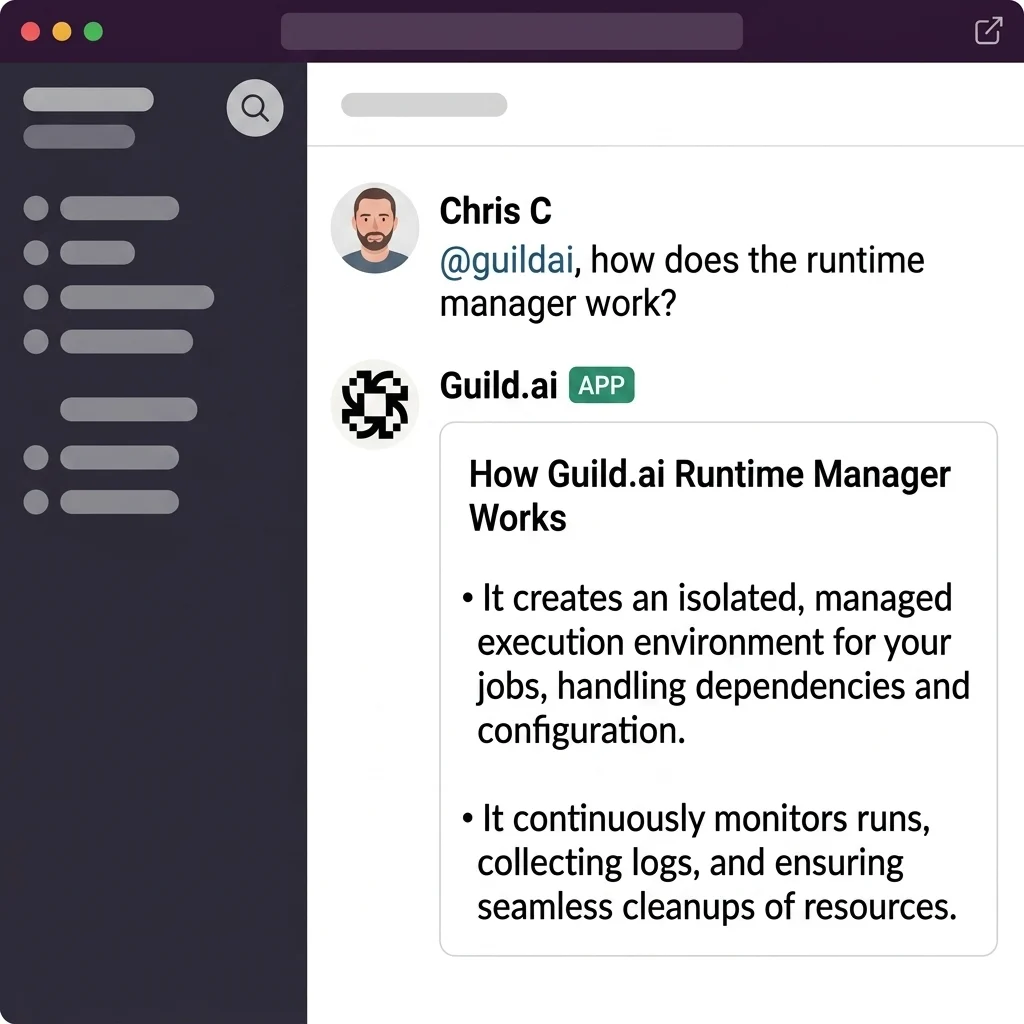
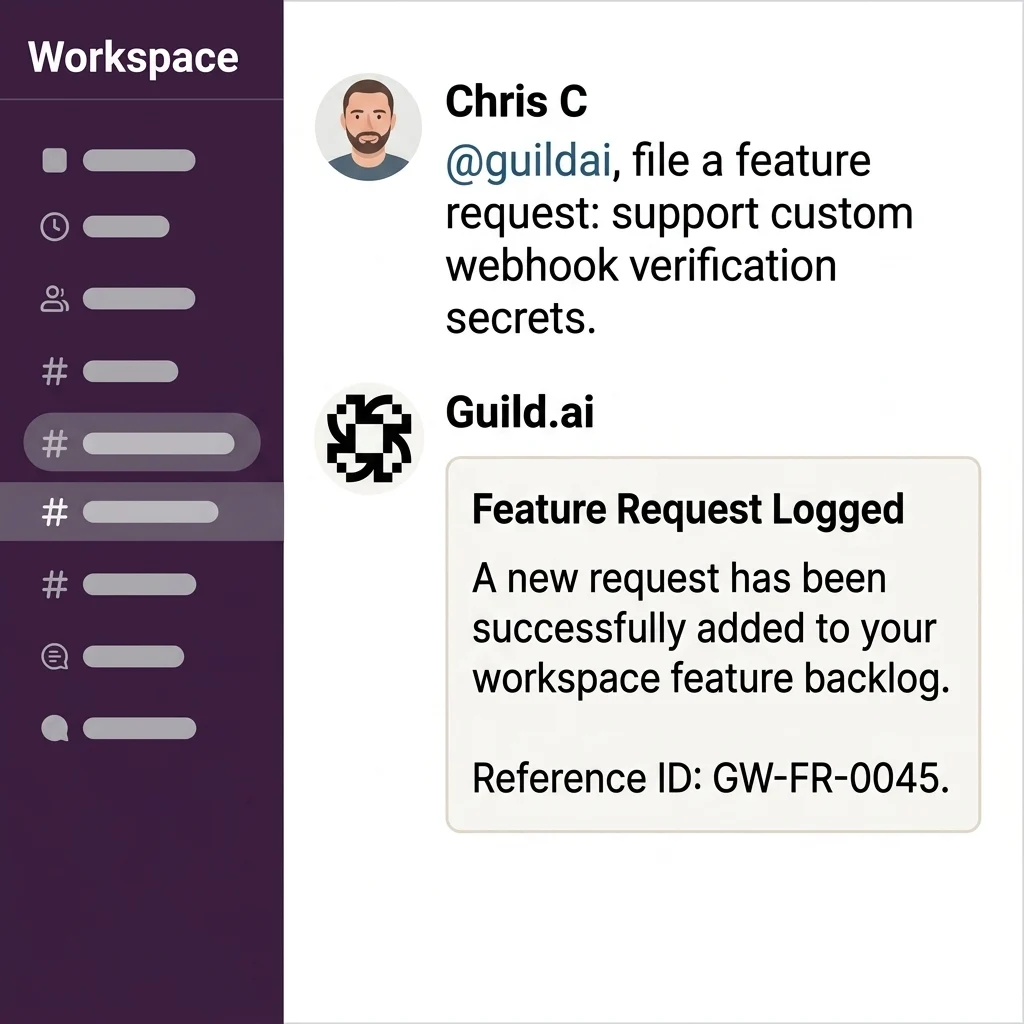
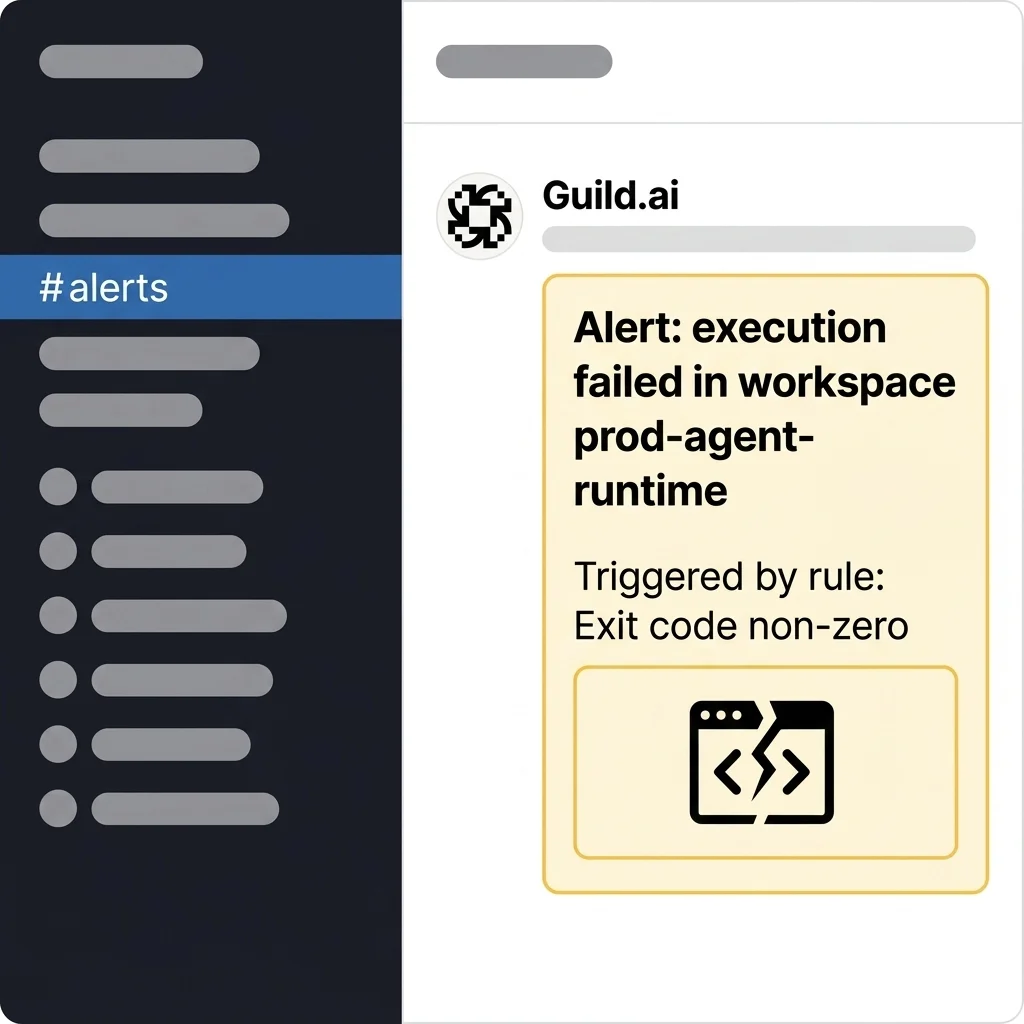
What your Guild Slack integration can do depends entirely on which agents you choose to connect. The integration is highly flexible. The exact capabilities depend on how you configure your Guild agents. Here are a few examples:
Ask questions
File feature requests
Post rule-based alerts
## Authentication
* **Type:** OAuth 2.02
* **Token management:** Slack tokens don't expire — no refresh needed
### Setup
Go to **Credentials** in Guild.
Click **Slack** and authorize Guild in your workspace.
Go to **triggers** and create a new trigger.
Invite the Slack agent to channels where you want `message` events. `app_mention` works without an invite.
### OAuth scopes
| Category | Scopes |
| --------- | ----------------------------------- |
| Channels | `channels:history`, `channels:read` |
| Groups | `groups:history`, `groups:read` |
| Messages | `chat:write`, `app_mentions:read` |
| Reactions | `reactions:read`, `reactions:write` |
## Usage
Slack is dynamically resolved, so you do not import a Slack-specific package. Register the operations your agent needs with `guildServiceTool()` from the Guild Agents SDK, passing `slack` as the service name. Guild resolves each operation against Slack's OpenAPI specification and injects credentials through the connected workspace account.
Name each tool with the `slack_` prefix to match the underlying operation — for example, the `chat_post_message` operation becomes the `slack_chat_post_message` tool.
```typescript theme={null}
import { guildServiceTool, llmAgent } from "@guildai/agents-sdk"
import { z } from "zod"
const slack_chat_post_message = guildServiceTool("slack", {
description: "Post a message to a Slack channel.",
inputSchema: z.object({
channel: z.string(),
text: z.string(),
}),
outputSchema: z.object({
ok: z.boolean(),
ts: z.string().optional(),
}),
})
export default llmAgent({
description: "An agent that manages Slack messages",
tools: { slack_chat_post_message },
})
```
### Selecting specific tools
Agents perform better with fewer tools. Register only the operations your agent needs — add each one as its own `guildServiceTool("slack", ...)` entry:
```typescript theme={null}
import { guildServiceTool, llmAgent } from "@guildai/agents-sdk"
import { z } from "zod"
const slack_chat_post_message = guildServiceTool("slack", {
description: "Post a message to a Slack channel.",
inputSchema: z.object({ channel: z.string(), text: z.string() }),
})
const slack_conversations_list = guildServiceTool("slack", {
description: "List channels in the workspace.",
inputSchema: z.object({ limit: z.number().optional() }),
})
const slack_conversations_history = guildServiceTool("slack", {
description: "Fetch a channel's message history.",
inputSchema: z.object({ channel: z.string(), limit: z.number().optional() }),
})
export default llmAgent({
description: "An agent that posts Slack updates",
tools: {
slack_chat_post_message,
slack_conversations_list,
slack_conversations_history,
},
})
```
## API endpoints
| Operation | Method | Path |
| ------------------------------- | ------ | ------------------------------ |
| `chat_post_message` | POST | `/chat.postMessage` |
| `chat_update` | POST | `/chat.update` |
| `chat_delete` | POST | `/chat.delete` |
| `chat_post_ephemeral` | POST | `/chat.postEphemeral` |
| `chat_schedule_message` | POST | `/chat.scheduleMessage` |
| `chat_scheduled_messages_list` | GET | `/chat.scheduledMessages.list` |
| `chat_delete_scheduled_message` | POST | `/chat.deleteScheduledMessage` |
| `chat_get_permalink` | GET | `/chat.getPermalink` |
| Operation | Method | Path |
| --------------------------- | ------ | --------------------------- |
| `conversations_list` | GET | `/conversations.list` |
| `conversations_info` | GET | `/conversations.info` |
| `conversations_history` | GET | `/conversations.history` |
| `conversations_replies` | GET | `/conversations.replies` |
| `conversations_members` | GET | `/conversations.members` |
| `conversations_join` | POST | `/conversations.join` |
| `conversations_leave` | POST | `/conversations.leave` |
| `conversations_invite` | POST | `/conversations.invite` |
| `conversations_archive` | POST | `/conversations.archive` |
| `conversations_unarchive` | POST | `/conversations.unarchive` |
| `conversations_set_topic` | POST | `/conversations.setTopic` |
| `conversations_set_purpose` | POST | `/conversations.setPurpose` |
| Operation | Method | Path |
| ------------------ | ------ | ------------------- |
| `reactions_add` | POST | `/reactions.add` |
| `reactions_get` | GET | `/reactions.get` |
| `reactions_list` | GET | `/reactions.list` |
| `reactions_remove` | POST | `/reactions.remove` |
| Operation | Method | Path |
| -------------- | ------ | --------------- |
| `files_info` | GET | `/files.info` |
| `files_delete` | POST | `/files.delete` |
| Operation | Method | Path |
| ------------- | ------ | -------------- |
| `pins_add` | POST | `/pins.add` |
| `pins_list` | GET | `/pins.list` |
| `pins_remove` | POST | `/pins.remove` |
| Operation | Method | Path |
| -------------------- | ------ | --------------------- |
| `reminders_add` | POST | `/reminders.add` |
| `reminders_complete` | POST | `/reminders.complete` |
| `reminders_delete` | POST | `/reminders.delete` |
| `reminders_list` | GET | `/reminders.list` |
| Operation | Method | Path |
| ----------------------- | ------ | ---------------------- |
| `users_lookup_by_email` | GET | `/users.lookupByEmail` |
| `users_profile_get` | GET | `/users.profile.get` |
| Operation | Method | Path |
| ------------------------- | ------ | -------------------------- |
| `usergroups_create` | POST | `/usergroups.create` |
| `usergroups_list` | GET | `/usergroups.list` |
| `usergroups_update` | POST | `/usergroups.update` |
| `usergroups_users_list` | GET | `/usergroups.users.list` |
| `usergroups_users_update` | POST | `/usergroups.users.update` |
| Operation | Method | Path |
| ------------ | ------ | ------------- |
| `emoji_list` | GET | `/emoji.list` |
## Webhook events
Slack uses an agent-scoped webhook model — a single webhook receives all events and Guild routes them to matching triggers.
| Event | Description |
| ----------------------- | ----------------------------------------------------- |
| `app_mention` | The Slack agent is mentioned in a channel. |
| `app_uninstalled` | The Slack workspace uninstalls the Slack agent. |
| `member_joined_channel` | A user joins a public or private channel. |
| `message.channels` | A user posts a message in a public channel. |
| `message.groups` | A user posts a message in a private channel. |
| `reaction_added` | A user adds an emoji reaction to a message. |
| `reaction_removed` | A user removes an emoji reaction from a message. |
| `tokens_revoked` | The workspace revokes API tokens for the Slack agent. |
Events can be filtered to specific channels by setting `channel_ids` in the service configuration. Messages from the Slack agent itself are automatically excluded to prevent feedback loops.
## How the integration works
Guild uses Slack's OAuth v2 flow. When you connect Slack, Guild receives a **bot access token** scoped to the installed workspace.
* **Long-lived token** — Slack bot tokens do not expire. Guild stores the token once; no refresh flow is required.
* **Bot only** — Guild does not receive a user token. All API calls run as the bot, not as the installing user.
* **One workspace per connection** — Each Slack install maps to one `team_id` and one bot token.
* **Bot user ID** — Guild captures this at install time and uses it to filter out the agent's own messages and prevent feedback loops.
### Inbound events
Slack pushes events to a single agent webhook. Guild validates payloads with HMAC-SHA256 (`X-Slack-Signature` and `X-Slack-Request-Timestamp`), deduplicates by `event_id`, and routes events to matching triggers.
Use `channel_ids` in [trigger `service_config`](/platform/triggers#scope-events-with-service_config) to limit which channels fire your agent. An empty `channel_ids` array matches all channels.
### Outbound API calls
Agents call the Slack Web API through Guild's proxy, which injects the bot token. The runtime exposes operations as `slack_*` tools (for example, `slack_chat_post_message`). Messages always appear from the bot — you cannot post as a specific user.
Guild scrubs URLs, thumbnails, avatars, and permalinks from webhook payloads before they reach agents to reduce token usage.
### Session link tracing
When an agent posts a message to Slack via `chat.postMessage`, Guild automatically appends a link back to the originating workspace session — unless the message already contains a link to that session. This makes it easy to trace any Slack update back to the agent run that produced it.
The link is added as a short footer line. If you want to suppress it for a specific message, include the session URL in the message body yourself.
Session links support graded disclosure. When you click a Slack session link, you no longer hit a 404 if you are logged out or lack workspace access. Guild responds based on your authorization state:
* If you have access, Guild redirects you to the canonical workspace session URL.
* If you are logged in but lack access, Guild shows the name and type of the account that owns the session.
* If you are logged out, Guild confirms the session exists and prompts you to sign in.
### Link and media unfurling
To keep Slack channels clean, Guild disables link and media unfurling by default on every message an agent posts via `chat.postMessage`. Unfurling generates automatic previews of links and media, which can clutter channels and add noise.
Guild sets `unfurl_links` and `unfurl_media` to `false` on outgoing message payloads. This applies to all posted messages, whether or not a session link tracing footer is appended.
An agent can override either default by passing `unfurl_links: true` or `unfurl_media: true` in the message payload. Guild respects the explicit value and does not disable that unfurling.
## Limitations
* You must invite the Slack agent to channels to receive `message` events (`app_mention` works without an invite)
* If `channel_ids` is empty in trigger config, events from **all** channels are processed
* If someone uninstalls the Slack agent from the workspace, reconnect credentials in Guild. Guild does not receive a revocation webhook.
* Configure `SLACK_WEBHOOK_SIGNING_SECRET` for webhook verification
## AI disclaimers
Because Guild agents use large language models to generate responses, they may occasionally produce inaccurate or incorrect information. Please verify any critical outputs generated by the agent.
Guild does not use your Slack data, messages, or files to train large language models. All LLM operations use real-time processing and zero-copy retrieval.
## Support
If you need help or have questions about the Guild Slack integration, you can contact our support team. Submit a request via our in-app chat or email [support@guild.ai](mailto:support@guild.ai).
## Privacy policy
Your privacy is important to us. Read our full [Privacy Policy](https://www.guild.ai/privacy-policy) to learn how we collect, use, and retain your data.