

Integrations · Slack
Guild connects agents to your Slack workspace with authenticated access to the Slack Web API: they monitor channels, answer questions and DMs, and post automated updates. The difference from a bot with a token is everything underneath: credentials stay server-side, every action is policy-checked and logged, and a misbehaving session can be stopped mid-run.
Book a demo
See how teams put governed agents in their workspace.
Start free
Connect Slack and scope your first agent.
What teams actually run in Slack
The integration resolves Slack’s full Web API at runtime, so what your Slack agents can do depends on the agents you connect, not on a fixed feature list. The patterns we see most: an answers agent that fields questions in a support or docs channel, an intake agent that turns messages into filed tickets and feature requests, and alerting agents that post rule-based updates when something changes in a connected system. An agent can also be triggered by Slack itself: a message arrives, the agent runs.How it works
1
Connect Slack to your Guild organization
The integration gives agents authenticated access to the Slack Web API; tokens never live in agent code.
2
Choose and scope your agents
Register the Slack operations each agent needs, and let credential policies bound what each one may do. Default deny underneath.
3
Let Slack drive them
Event triggers run an agent automatically when a message or event occurs, or on a schedule. Every action lands in the audit log, attributed.
Slack is where an ungoverned agent embarrasses you in public
A Slack agent acts in front of your whole company, and sometimes your customers. It reads channels, posts messages, and touches the systems behind your workflows. Two-thirds of organizations with production agents had an incident last year; in Slack, an incident has an audience. Governance is what makes the difference invisible: scoped operations instead of a god-token, server-side credentials, an audit trail of every action, and a stop control that works mid-session.Feature overview
What your Guild Slack integration can do depends entirely on which agents you choose to connect. The integration is highly flexible. The exact capabilities depend on how you configure your Guild agents. Here are a few examples:Ask questions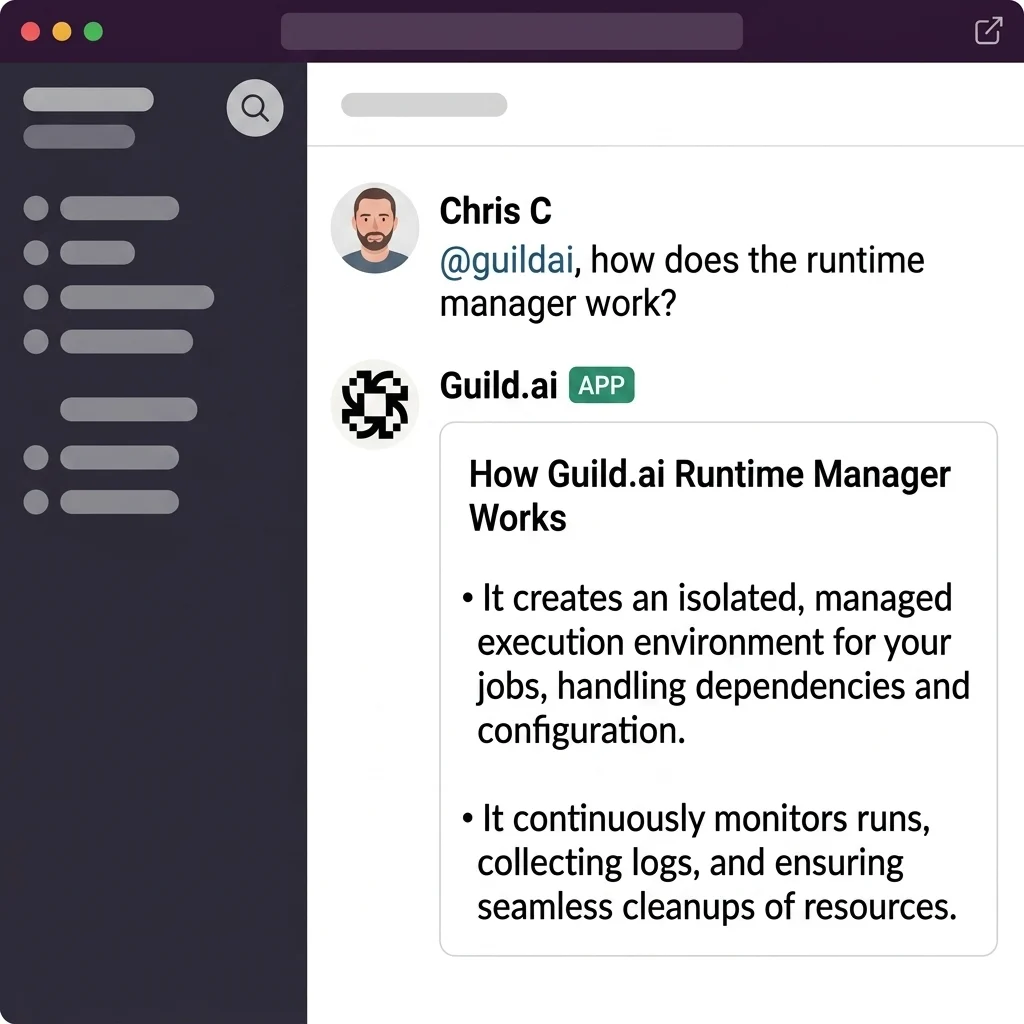
File feature requests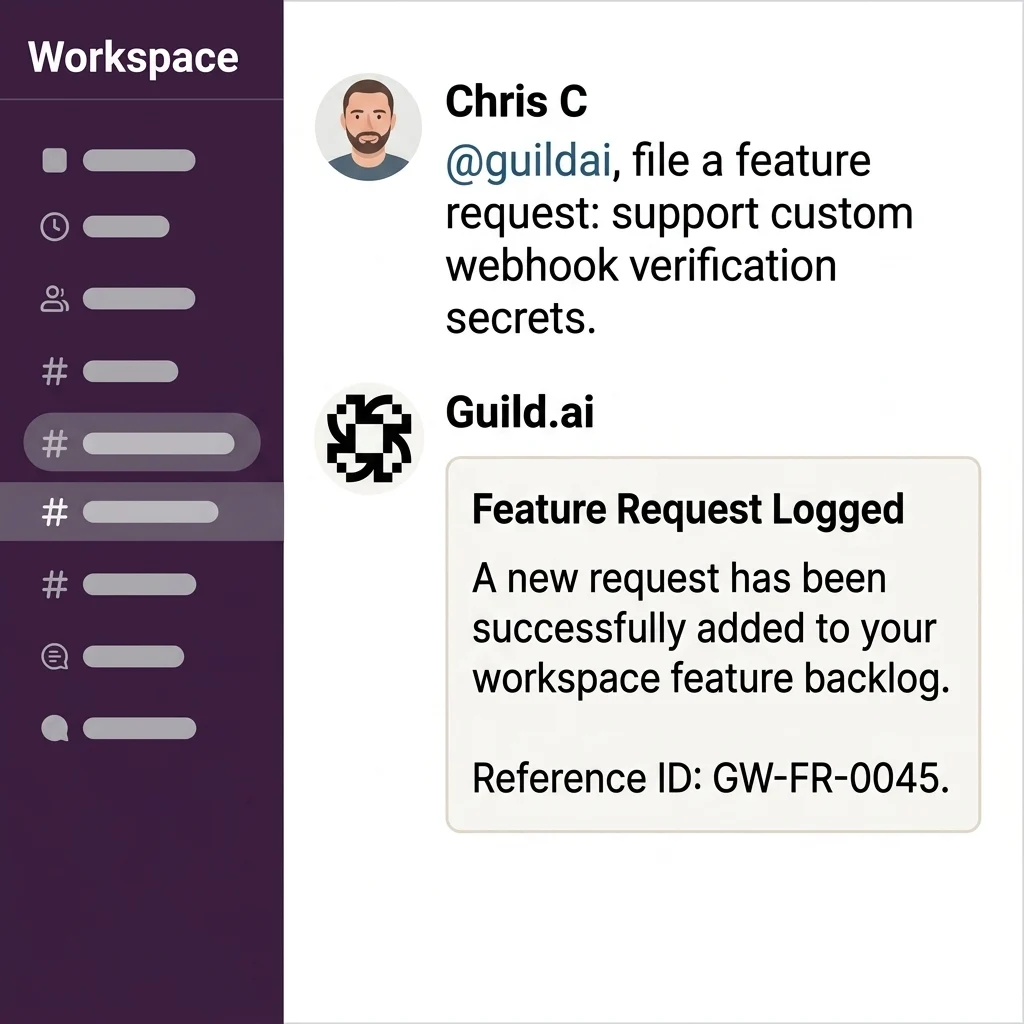
Post rule-based alerts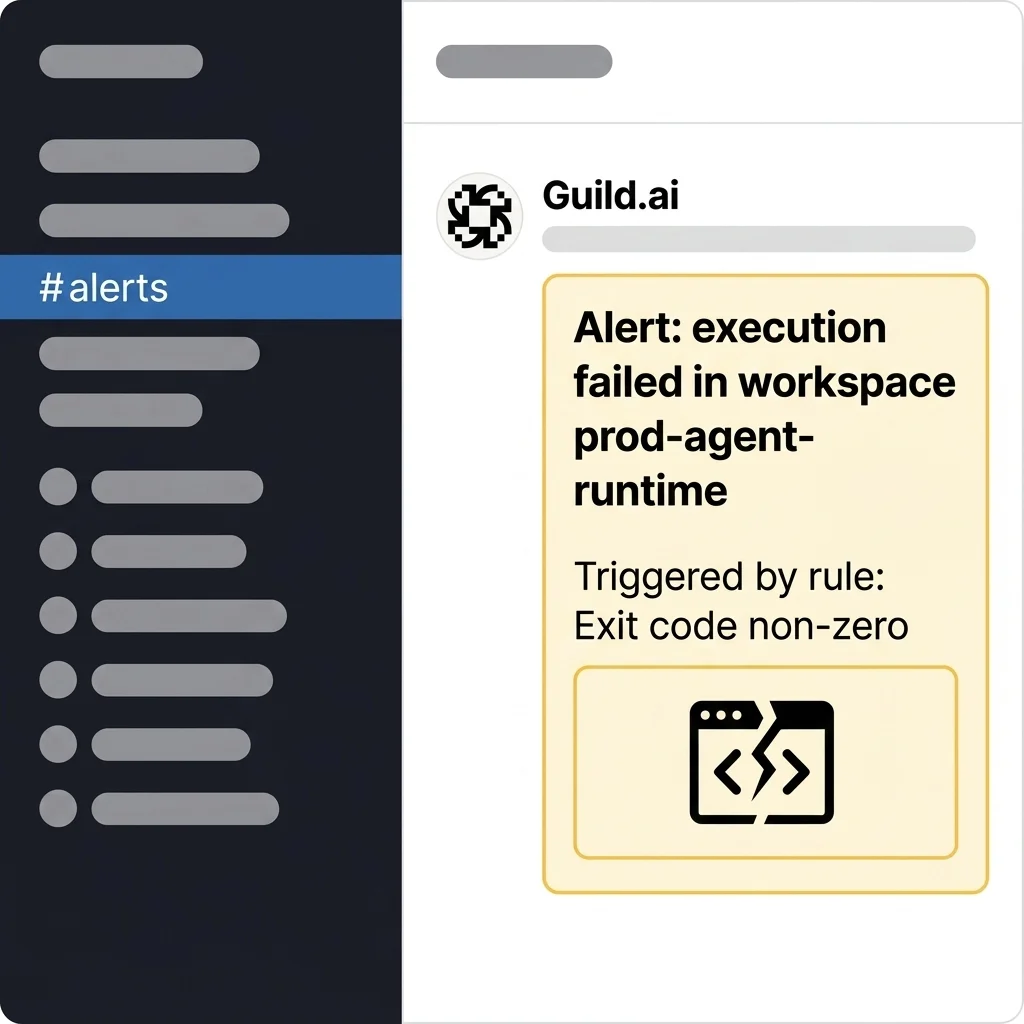
Authentication
- Type: OAuth 2.0
- Token management: Slack tokens don’t expire — no refresh needed
Setup
1
Open Credentials
Go to Credentials in Guild.
2
Connect Slack
Click Slack and authorize Guild in your workspace.
3
Create a trigger
Go to Triggers and create a new trigger.
4
Invite the agent
Invite the Slack agent to channels where you want
message events. app_mention works without an invite.OAuth scopes
Usage
Slack is dynamically resolved, so you do not import a Slack-specific package. Register the operations your agent needs withguildServiceTool() from the Guild Agents SDK, passing slack as the service name. Guild resolves each operation against Slack’s OpenAPI specification and injects credentials through the connected workspace account.
Name each tool with the slack_ prefix to match the underlying operation — for example, the chat_post_message operation becomes the slack_chat_post_message tool.
Selecting specific tools
Agents perform better with fewer tools. Register only the operations your agent needs — add each one as its ownguildServiceTool("slack", ...) entry:
Tools
Tools in the latest published version ofguildai~slack:
Webhook events
Slack uses an app-scoped webhook model — Guild’s Slack app receives events for every connected workspace, and Guild routes them to matching triggers.
Slack events have no actions, so leave out
--action when you create a trigger:
channel_ids in the service configuration. For an org-wide Slack connection, team_id limits a trigger to one Slack workspace; it’s ignored when channel_ids is set. Messages from the Slack agent itself are automatically excluded to prevent feedback loops.
A message and the replies in its thread share one session. Each event in the thread is a new run, though, and the agent doesn’t see earlier runs’ messages. To follow a thread, have the agent read it with slack_conversations_replies. Reactions and channel joins start a new session each time.
Direct messages
You can interact with the Guild agent through Direct Messages (DMs). Send a DM to the agent to ask questions or run tasks without inviting it to a channel. Guild anchors the session on the DM channel ID, so every message you send lands in the same session instead of starting a new one. Each message is still a new run that doesn’t see earlier messages; to answer in context, have the agent read recent messages withslack_conversations_history.
A DM arrives as a message event with channel_type set to im. To have an agent answer DMs, create a trigger on message without channel_ids. That trigger also fires on every message, edit, and delete in the channels the agent belongs to, so have the agent check channel_type if it should answer only DMs.
How the integration works
Guild uses Slack’s OAuth v2 flow. When you connect Slack, Guild receives a bot access token for the Slack workspace, or for an org-wide install, the workspaces the org admin grants.- Long-lived token — Slack bot tokens do not expire. Guild stores the token once; no refresh flow is required.
- Bot only — Guild does not receive a user token. All API calls run as the bot, not as the installing user.
- One install per connection — Each connection holds one bot token. For an org-wide install, set
team_idon a trigger to pick one workspace. - Own messages dropped — Guild reads the bot’s user ID from each event and drops the agent’s own messages to prevent feedback loops.
Inbound events
Slack pushes events to a single app webhook. Guild validates payloads with HMAC-SHA256 (X-Slack-Signature and X-Slack-Request-Timestamp), deduplicates by event_id, and routes events to matching triggers.
Use channel_ids in trigger service_config to limit which channels fire your agent. An empty channel_ids array matches all channels.
Actor identity mapping
When a Slack message triggers an agent, Guild determines which Guild user the run acts as. If the Slack sender has an identity mapping in Guild, the run acts as that user, so the agent works on behalf of the person who sent the message. Otherwise the run acts as the user who created the trigger. A message deletion names no user, so its run is attributed to the trigger itself. To add or change mappings, see Identity mapping.Direct message sessions
Theim:history scope lets the agent receive messages from direct message channels. All direct messages in a channel share one session, as described in Direct messages.
Outbound API calls
Agents call the Slack Web API through Guild’s proxy, which injects the bot token. The runtime exposes operations asslack_* tools (for example, slack_chat_post_message). Messages always appear from the bot — you cannot post as a specific user.
Guild scrubs URLs, thumbnails, avatars, and permalinks from webhook payloads before they reach agents to reduce token usage.
Session link tracing
When an agent posts a message to Slack viachat.postMessage, Guild automatically appends a link back to the originating workspace session — unless the message already contains a link to that session. This makes it easy to trace any Slack update back to the agent run that produced it.
The link is added as a short footer line. If you want to suppress it for a specific message, include the session URL in the message body yourself.
Session links support graded disclosure. When you click a Slack session link, you no longer hit a 404 if you are logged out or lack workspace access. Guild responds based on your authorization state:
- If you have access, Guild redirects you to the canonical workspace session URL.
- If you are logged in but lack access, Guild shows the name and type of the account that owns the session.
- If you are logged out, Guild confirms the session exists and prompts you to sign in.
Link and media unfurling
To keep Slack channels clean, Guild disables link and media unfurling by default on every message an agent posts viachat.postMessage. Unfurling generates automatic previews of links and media, which can clutter channels and add noise.
Guild sets unfurl_links and unfurl_media to false on outgoing message payloads. This applies to all posted messages, whether or not a session link tracing footer is appended.
An agent can override either default by passing unfurl_links: true or unfurl_media: true in the message payload. Guild respects the explicit value and does not disable that unfurling.
Limitations
- You must invite the Slack agent to channels to receive
messageevents (app_mentionworks without an invite) - If
channel_idsis empty in trigger config, events from all channels are processed - If Slack reports that the app was uninstalled or its bot token was revoked, Guild deletes the Slack credentials and deactivates the Slack triggers. Reconnect Slack in Guild to resume.
AI disclaimers
Because Guild agents use large language models to generate responses, they may occasionally produce inaccurate or incorrect information. Please verify any critical outputs generated by the agent. Guild does not use your Slack data, messages, or files to train large language models. All LLM operations use real-time processing and zero-copy retrieval.Support
If you need help or have questions about the Guild Slack integration, you can contact our support team. Submit a request via our in-app chat or email support@guild.ai.Privacy policy
Your privacy is important to us. Read our full Privacy Policy to learn how we collect, use, and retain your data.Frequently asked questions
Can Guild agents respond to messages in Slack?
Can Guild agents respond to messages in Slack?
Yes. Agents get authenticated access to the Slack Web API to monitor channels, respond to messages and DMs, and post updates, and event triggers can run an agent automatically when a message arrives.
Does the agent hold a Slack token?
Does the agent hold a Slack token?
No. Credentials resolve server-side after the policy check and never enter agent code, containers, prompts, or state.
Can I limit what a Slack agent is allowed to do?
Can I limit what a Slack agent is allowed to do?
Yes. You register the operations each agent needs, and credential policies scope access by operation, agent, and workspace, starting from default deny.
What if an agent starts posting something it shouldn't?
What if an agent starts posting something it shouldn't?
Stop the session mid-run. Disconnecting the credential immediately denies calls from sessions already running, and the audit log shows exactly what was done.
Can one Slack agent reach our other systems?
Can one Slack agent reach our other systems?
Yes, through Guild’s brokered integrations, each under its own policy. That is the point of running Slack agents on a control plane instead of as standalone bots.
Put a governed agent in your workspace
Book a demo
Walk through scoping and audit with the team.
Start free
Connect Slack and scope your first agent.